10Win Redeem Code: Where to Find Codes and How to Use Them
Last checked:
10Win redeem codes are short promo codes that add a random bonus, from Rs 10 up to Rs 88,888, to your balance. They are posted on 10Win’s official WhatsApp, Telegram and Facebook channels, and you enter them in the Offers tab of the 10Win app.
Where to find 10Win redeem codes
- 10Win’s official WhatsApp channel (linked from Support → WhatsApp Support)
- 10Win’s official Telegram and Facebook channels (linked from Support)
- In-app Notice and News tabs in the Message Center
Codes are time-limited and often limited to the first users, so follow the channels to catch them early. Following the channels also earns the social follow bonus.
How to use a redeem code on 10Win
- Log in to the 10Win app.
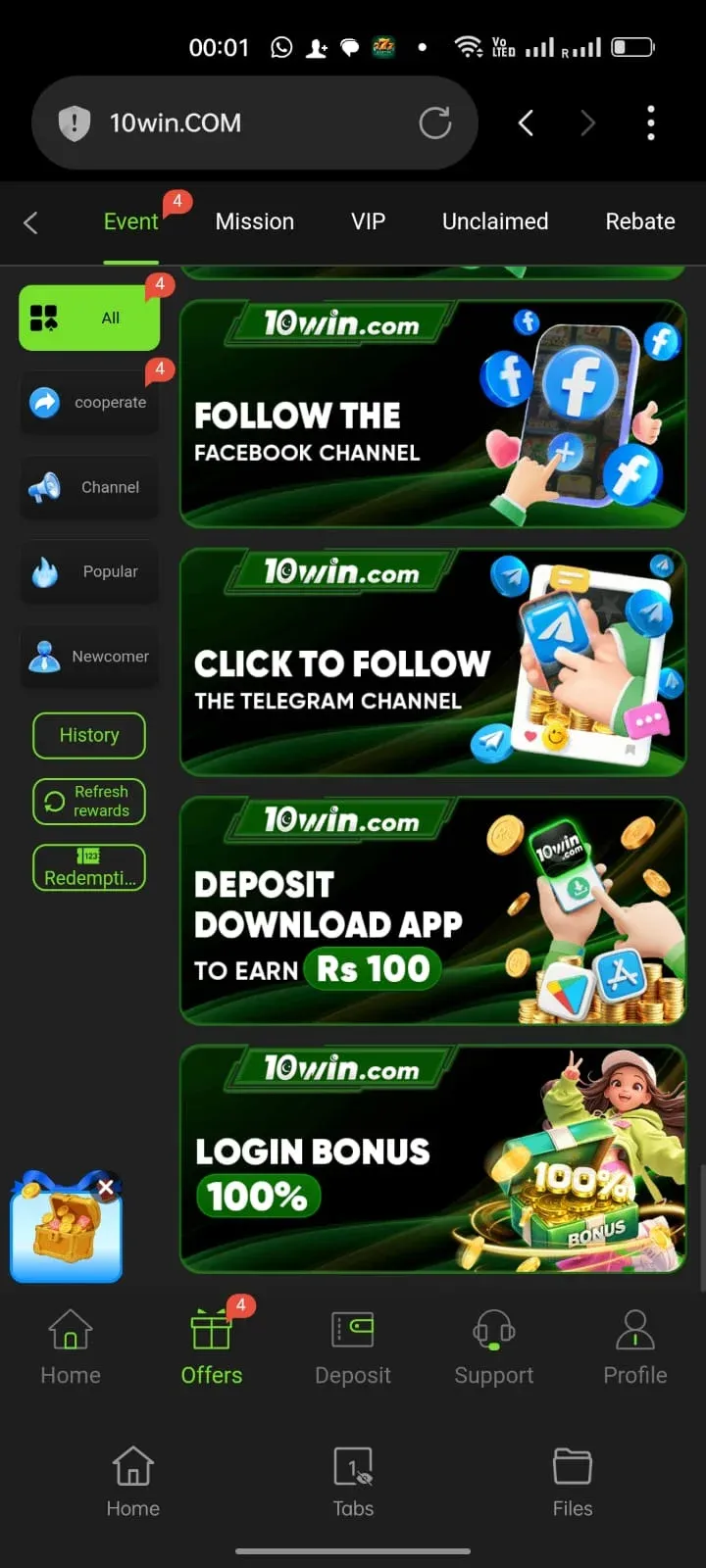
- Tap Offers, then Redeem in the left menu.
- Paste the code and confirm.
- The reward appears in your balance or the Unclaimed tab.
Why is my 10Win redeem code not working?
- The code has expired or reached its user limit.
- It was already used on your account.
- A space or wrong letter was copied.
- The code is for new users or a VIP level you haven’t reached.
Redeem code scams to avoid
Warning:
Real 10Win codes are free. Ignore anyone who asks you to pay, deposit to a personal number, or share your OTP for a “VIP code”.
More: 10Win bonuses · customer care · 10Win app